Simple64 is a free, open-source Nintendo 64 emulator designed to bring classic N64 gaming experiences to modern computers. However, before downloading the software, understanding the Simple64 system requirements is essential for avoiding performance problems and compatibility errors. Unlike some lightweight emulators, Simple64 relies on specific processor instructions and graphics technologies to deliver accurate emulation of original Nintendo 64 hardware.
Whether you are using Windows 10, Windows 11, or Linux, checking your computer’s specifications can save time and frustration. This guide explains the essential hardware requirements, recommended performance considerations, graphics compatibility, and practical ways to determine whether your PC can run Simple64.
Minimum System Requirements for Simple64
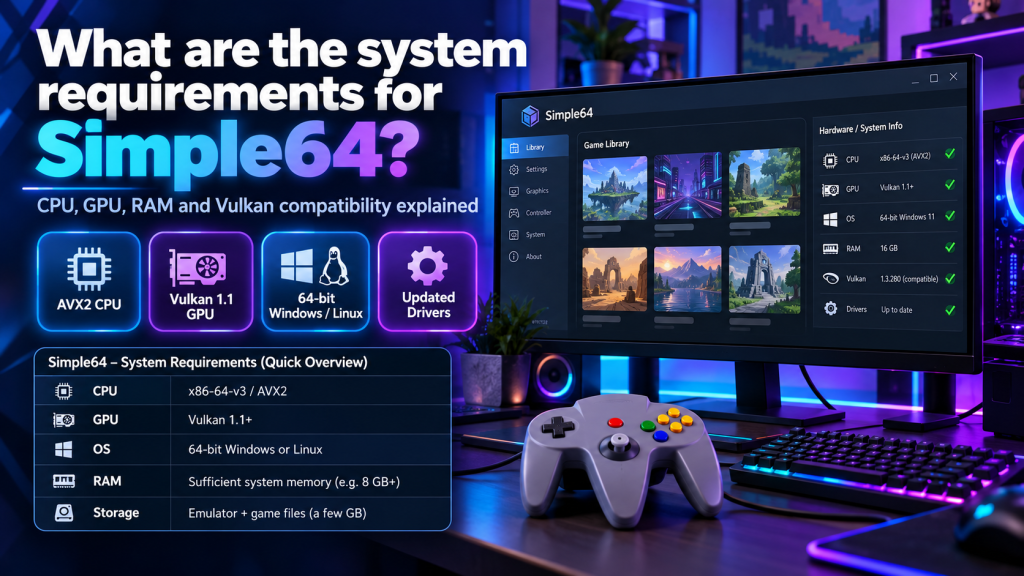
Simple64 has two particularly important hardware requirements: a processor supporting x86-64-v3 instructions and a graphics card compatible with Vulkan 1.1 or newer. Without these capabilities, the emulator may fail to launch.
The following table outlines the main Simple64 PC requirements and additional considerations for a reliable gaming experience.
| Component | Requirement |
|---|---|
| Operating System | Compatible 64-bit Windows or Linux |
| Processor | x86-64-v3 instruction support |
| CPU Instructions | AVX2 required |
| Graphics Card | Vulkan 1.1 or newer |
| RAM | No official minimum specified |
| Storage | Space for emulator and game files |
| Graphics Drivers | Updated Vulkan-compatible drivers |
| Controller | Keyboard or compatible gamepad |
These are compatibility requirements rather than guaranteed performance specifications. The official developer documentation does not provide fixed minimum RAM, storage, or processor-speed figures.
CPU Requirements for Running Simple64
The processor plays an important role in Nintendo 64 emulation because it handles game instructions and emulated hardware operations. Simple64 specifically requires support for the x86-64-v3 instruction level, including AVX2.
Older processors may lack these instructions even when they provide reasonable general computing performance. Before installing the emulator, verify CPU compatibility rather than relying only on processor speed or brand.
Graphics Card and Vulkan Compatibility
Simple64 uses ParaLLEl graphics emulation, which relies on Vulkan technology to reproduce Nintendo 64 graphics accurately. A graphics card supporting at least Vulkan 1.1 is necessary for the emulator to function.
Both integrated and dedicated graphics processors may work when they support the required Vulkan features. However, demanding games can perform differently depending on graphics hardware, driver quality, and overall system capabilities.
How Much RAM Does Simple64 Need?
Simple64’s official documentation does not establish a specific minimum RAM requirement. Memory usage can vary according to the operating system, background applications, and the game being emulated.
For practical Windows gaming, having 8GB of system RAM provides useful breathing room for ordinary desktop activities. However, this is a general recommendation rather than an officially published Simple64 requirement.
Storage Space and Installation Considerations
Simple64 does not require a traditional Windows installation process. Users can download the compressed emulator package, extract its contents, and launch the application directly from the extracted folder.
Available storage should accommodate the emulator, legally obtained game files, and saved gameplay data. Keeping additional free space helps prevent problems when storing multiple games and save states.
Does Simple64 Work on Windows 10 and 11?
Simple64 provides a 64-bit Windows version that can run on compatible Windows 10 and Windows 11 computers. Operating system compatibility alone, however, does not guarantee successful emulation.
Your computer must still support the required processor instructions and Vulkan graphics functionality. Updated GPU drivers are also important because outdated drivers may prevent the application from starting correctly.
Linux Support and Platform Limitations
Linux users can access Simple64 through its available Linux distribution package. However, Linux compatibility also depends on the processor, Vulkan graphics drivers, and system configuration.
Official Simple64 releases were provided for Windows and Linux, while macOS did not receive an official maintained release. Users should verify platform availability before attempting installation on unsupported systems.
How to Check Your Computer’s Compatibility
You can examine your hardware specifications before downloading Simple64. Checking the CPU instruction set and graphics capabilities is particularly important because unsupported components cannot be fixed through ordinary emulator settings.
Follow these simple steps:
- Open Windows Settings and view your processor information.
- Use CPU-Z or HWiNFO to inspect supported CPU instructions.
- Confirm that your processor supports AVX2.
- Identify your graphics card using Device Manager.
- Check the manufacturer’s Vulkan compatibility specifications.
- Install updated graphics drivers if necessary.
- Launch Simple64 to test your system.
These checks help identify compatibility problems early and reduce the chances of encountering unexpected startup failures.
Can Simple64 Run on Low-End Computers?
Some budget computers can run Simple64 if they support the required CPU instructions and Vulkan graphics features. Nevertheless, meeting minimum compatibility conditions does not guarantee smooth gameplay.
Older Atom-based devices and certain inexpensive laptops may lack AVX2 support entirely. Computers with weaker integrated graphics may also struggle with demanding emulation tasks despite supporting Vulkan.
Improving Performance on Compatible Hardware
Simple64 prioritizes accurate emulation, which can demand substantial processing and graphics resources. Maintaining updated drivers and minimizing unnecessary background programs can help improve stability.
For better results, consider these practical adjustments:
- Update your graphics drivers regularly.
- Select the dedicated GPU on compatible laptops.
- Use your computer’s high-performance power mode.
- Close unnecessary background applications.
- Avoid running demanding software during gameplay.
- Check for compatibility problems before changing settings.
Remember that some Nintendo 64 games originally experienced slowdowns. Not every frame-rate drop indicates a problem with your computer or emulator configuration.
Conclusion
Simple64 requires a compatible x86-64-v3 processor with AVX2 support and a graphics card supporting Vulkan 1.1 or newer. These requirements are essential for running the emulator successfully, while sufficient memory, updated drivers, and suitable graphics performance contribute to a more reliable gaming experience.
Before installing Simple64, carefully examine your computer’s hardware capabilities and operating system compatibility. Although the emulator is no longer actively developed, users with supported systems can still explore classic Nintendo 64 games while benefiting from its existing emulation features and convenient gaming tools.