
Simple64 – Free and Accurate Nintendo 64 Emulator
Rediscover classic Nintendo 64 gaming with Simple64, a free and open-source emulator built for accurate emulation. Explore its features, learn how to get started, and download Simple64 for compatible Windows and Linux systems.
What Is Simple64?
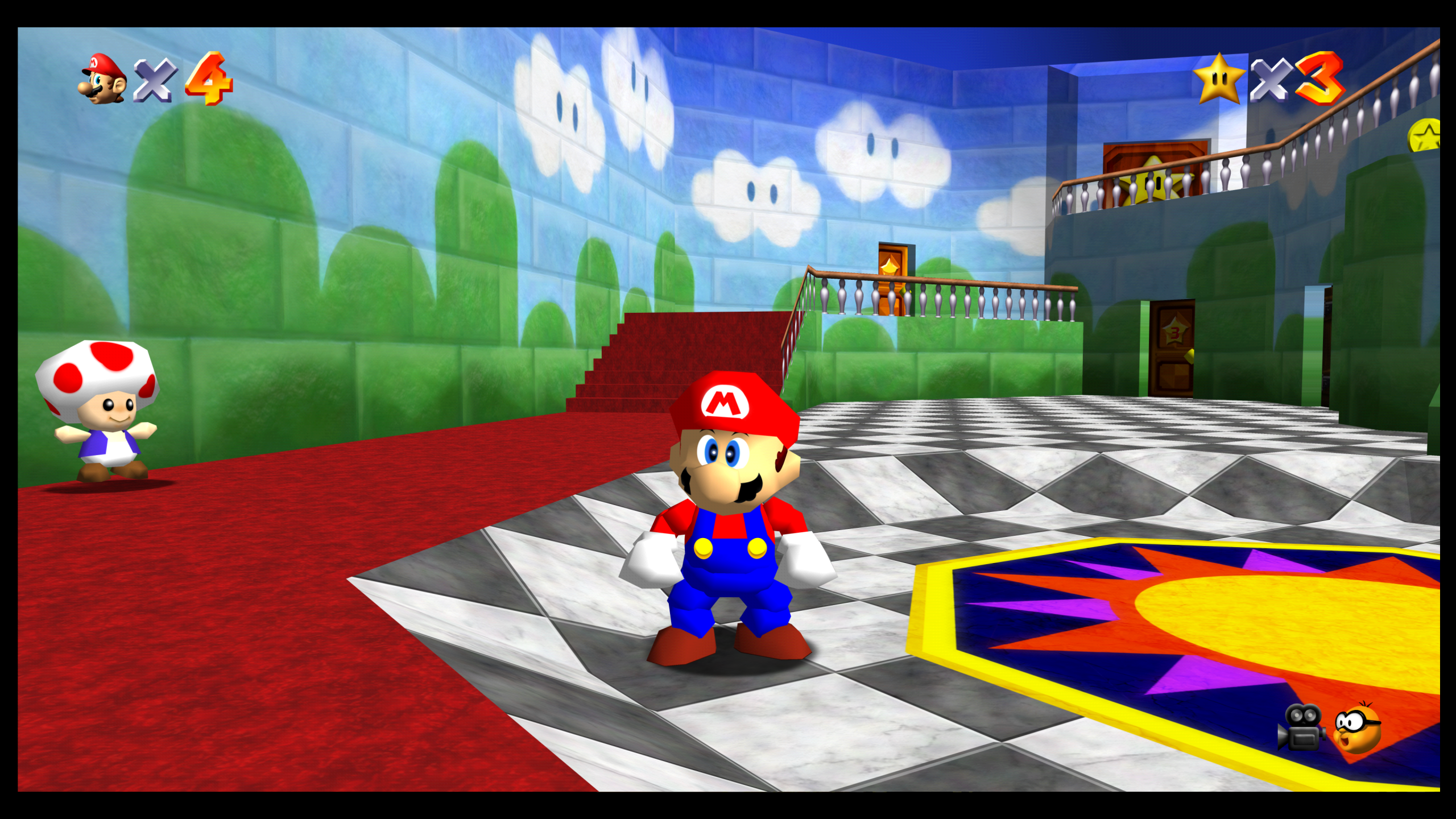
Simple64 is a free, open-source Nintendo 64 emulator designed to recreate the classic N64 gaming experience on compatible Windows and Linux computers. Instead of requiring the original console, it uses software emulation to reproduce the Nintendo 64's hardware behavior, allowing users to run their legally obtained game files on modern systems.
Built with an emphasis on emulation accuracy, Simple64 combines modern graphics technology with practical features such as controller configuration, save states, and netplay support. Its approachable interface makes it useful for retro gaming enthusiasts who want to explore Nintendo 64 titles without complicated emulator setups.
Simple64 is based on open-source emulation technology and supports advanced graphics rendering through ParaLLEl. Although the original project has been archived, its released versions remain available for users interested in exploring Nintendo 64 emulation on supported hardware.
Key Features of Simple64 Emulator
Discover the capabilities that make Simple64 a practical choice for Nintendo 64 emulation. From accurate hardware emulation to useful gameplay tools, Simple64 offers features designed to help you enjoy classic N64 games on compatible computers.
Accurate N64 Emulation
Simple64 focuses on faithfully recreating Nintendo 64 hardware behavior. Its accuracy-oriented approach helps reproduce original game mechanics and timing, making it a useful choice for players who value authentic N64 emulation.
Graphics Rendering
With ParaLLEl-based graphics rendering, Simple64 aims to reproduce the visual characteristics of Nintendo 64 games accurately. Compatible graphics hardware can take advantage of its Vulkan-based rendering technology.
Controller Support
Configure game controls to suit your preferred playing style. Simple64 provides input settings for compatible controllers and keyboards, helping you customize button mappings for a more comfortable retro gaming experience.
Save States
Save your current gameplay session and return to it later without relying entirely on in-game save points. Save states provide extra flexibility when practicing difficult sections or revisiting memorable moments in supported games.
Netplay Support
Simple64 includes netplay functionality for compatible multiplayer games and supported network setups. This feature allows players to connect remotely and experience classic Nintendo 64 multiplayer gameplay without sharing the same physical console.
Open Source
Simple64 is a free and open-source emulator with publicly available source code. Its development history can be explored on GitHub, making it possible to review the project, understand its technology, and access previously published releases.
Download Simple64 for Windows and Linux
Download Simple64, a free and open-source Nintendo 64 emulator for compatible Windows and Linux systems. Choose your operating system below to access the available ZIP packages hosted on our website. Check your system requirements before getting started.
Simple64 for Windows
Download the Simple64 Windows ZIP package directly from our website. Extract the archive to your preferred folder and launch the emulator on compatible 64-bit Windows hardware. No traditional installation wizard is required.
- Compatible 64-bit Windows systems
- ZIP archive distribution
- Free and open-source N64 emulator
Simple64 for Linux
Download the hosted Simple64 Linux ZIP archive directly from our website. Extract the package and review its contents for the appropriate installation instructions. Linux installation may require Flatpak and access to the application repository.
- Linux download ZIP archive
- Direct website-hosted file
- Installation depends on package contents
Important: Simple64 requires compatible CPU and graphics hardware. Check the system requirements before downloading. The original Simple64 project is archived and no longer actively maintained. Linux users should verify the ZIP contents and follow the appropriate installation procedure.
Simple64 System Requirements
Before installing Simple64, make sure your computer has the required hardware and graphics support. The emulator prioritizes accurate Nintendo 64 emulation, so a compatible processor and Vulkan-capable graphics card are especially important.
Windows Requirements
Designed for compatible 64-bit Windows computers with supported CPU and graphics hardware.
Linux Requirements
Runs on compatible 64-bit Linux distributions with supported graphics drivers and hardware.
| Component | Windows Requirements | Linux Requirements |
|---|---|---|
| Operating System | 64-bit Windows 10 or Windows 11 | Compatible 64-bit Linux distribution |
| Processor (CPU) | AVX2-compatible processor | AVX2-compatible processor |
| Graphics Card | GPU supporting Vulkan 1.1 | Vulkan 1.1-compatible GPU and drivers |
| System Memory | Adequate available RAM; 8 GB is a practical target | Adequate available RAM; 8 GB is a practical target |
| Storage Space | Space for emulator files and legally obtained games | Space for Flatpak installation, dependencies and games |
| Input Devices | Keyboard or compatible game controller | Keyboard or compatible game controller |
Important Compatibility Note
Simple64 prioritizes emulation accuracy, which can place additional demands on your hardware. Performance varies depending on processor capabilities, graphics drivers, and the game being played. The RAM guidance above is a practical recommendation rather than an official minimum. Keep your graphics drivers updated and confirm AVX2 and Vulkan compatibility before installing the emulator.
How to Download and Install Simple64 on Windows
Follow these simple steps to get Simple64 up and running on your Windows PC and start playing your favorite Nintendo 64 games.
Download Simple64
Download the Simple64 Windows ZIP package directly from our website and save it to your computer.
Extract the ZIP File
Find the downloaded ZIP file and extract it to a folder using Windows File Explorer or a compatible archive utility.
Launch Simple64
Open the extracted folder and run the Simple64 application to launch the emulator on your Windows computer.
Simple64 Application
Configure Controls
Configure your keyboard or compatible controller through the emulator input settings for comfortable gameplay.
Load an N64 Game
Open a legally obtained Nintendo 64 game file using the emulator's game selection option.
Start Playing
Once the game has loaded, adjust settings if necessary and enjoy the classic Nintendo 64 experience.
Quick Installation Tip
Keep Simple64 in a dedicated folder, update your graphics drivers, and check AVX2 and Vulkan support before launching.
How to Use Simple64 to Play Nintendo 64 Games
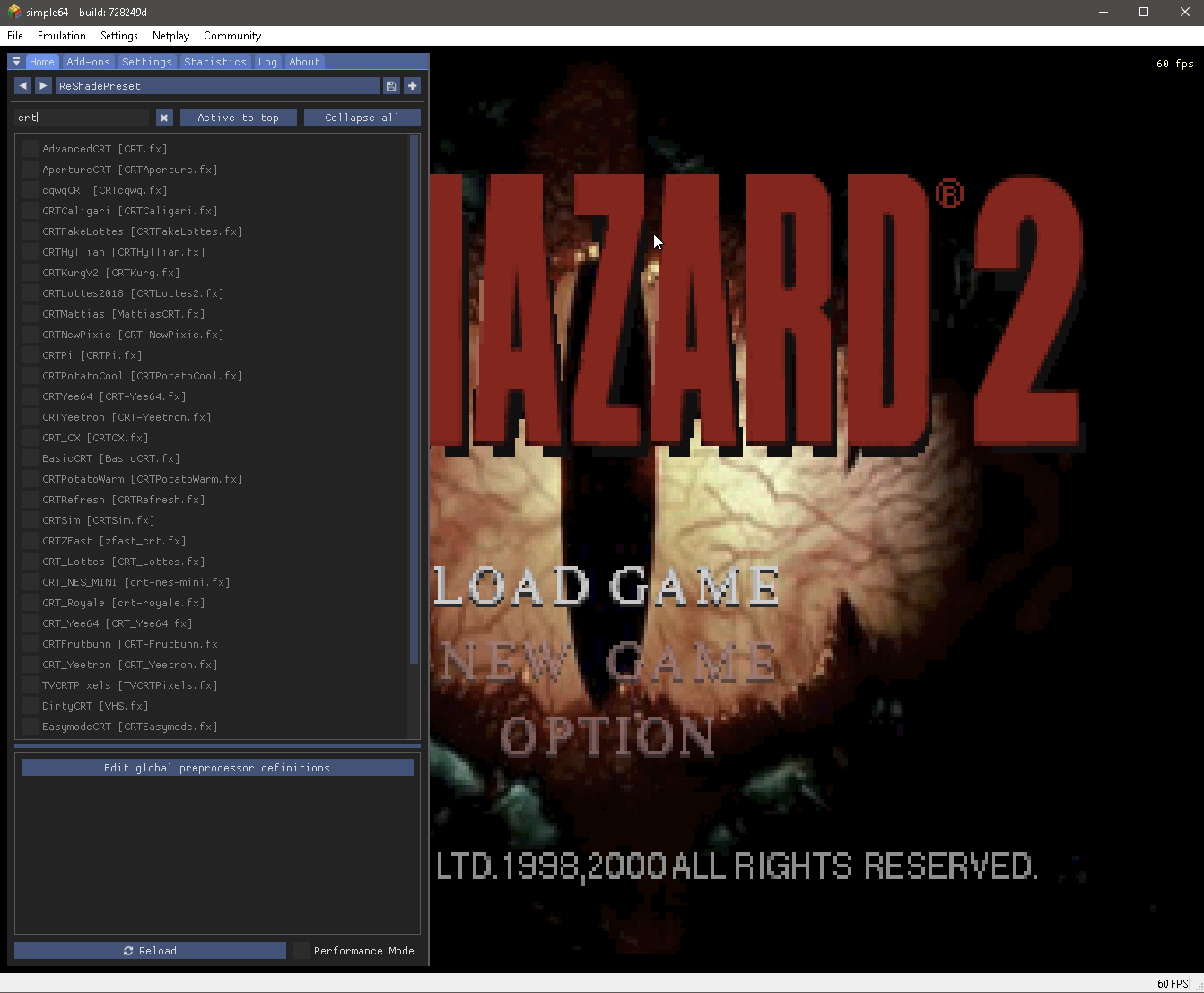
Getting started with Simple64 is straightforward. Once the emulator is installed, you can load your legally obtained Nintendo 64 games, configure controls, manage save states, and adjust available gameplay settings to suit your system.
Launch Simple64
Open the emulator application from its extracted folder to access the main interface.
Load Your Game
Select a legally obtained N64 game file in a supported format using the emulator's menu.
Adjust Graphics
Explore available graphics settings and choose options suitable for your hardware.
Configure Controls
Set up your keyboard or compatible gamepad through the input settings.
Use Save States
Press F5 to save a game state and F7 to load it. Use the number keys to select slots.
Enjoy Your Game
Start playing and switch between fullscreen and windowed mode using Alt+Enter.
Helpful Tip: Game performance depends on your CPU, graphics hardware, drivers, and the title being played. Keep your system updated and use compatible game files.
Simple64 vs Other Nintendo 64 Emulators
Compare Simple64 with Project64 and Gopher64 to understand their platform support, features, and development status. Each Nintendo 64 emulator offers different strengths depending on your computer and gaming preferences.
| Feature |
Simple64
Accuracy-focused N64 emulator
|
Project64
Windows-focused N64 emulator
|
Gopher64
Cross-platform N64 emulator
|
|---|---|---|---|
| Open Source | ✓ Yes | ✓ Yes | ✓ Yes |
| Windows Support | ✓ Yes | ✓ Yes | ✓ Yes |
| Linux Support | ✓ Yes | × Not official | ✓ Yes |
| Save States | ✓ Yes | ✓ Yes | ✓ Yes |
| Graphics Approach | Accuracy-focused | Plugin-based options | Accuracy & upscaling |
| User Experience | Streamlined interface | More configuration options | Cross-platform design |
| Project Status | Archived (2025) | Releases available | Ongoing development |
Which N64 Emulator Should You Choose?
Simple64 remains an option for users who prefer accurate Nintendo 64 emulation and a streamlined interface. Project64 offers a configurable Windows-focused experience, while Gopher64 provides a cross-platform alternative with ongoing development. Simple64's original project was archived in February 2025, so users who prioritize future updates may prefer an actively maintained alternative. Actual compatibility and performance depend on individual games and hardware.
Common Simple64 Problems and How to Fix Them
Experiencing issues with Simple64? Explore these common emulator problems and practical troubleshooting steps to resolve launch errors, slow gameplay, controller issues, and graphics problems.
1. Simple64 Not Opening The emulator doesn't launch or closes immediately.
- Verify that your CPU supports AVX2 instructions, which are required for compatible Simple64 builds.
- Extract the complete Windows ZIP archive before attempting to launch the emulator.
- Check that your graphics hardware supports Vulkan and install compatible graphics drivers.
- If a security warning appears, verify the release source and file integrity before proceeding.
2. Low FPS or Slow Performance Games feel laggy or run at low frame rates.
- Close unnecessary background applications to free up CPU and memory resources.
- Update your graphics drivers and check Vulkan compatibility with your graphics card.
- Review available graphics options and avoid demanding settings on weaker hardware.
- Keep in mind that emulation performance can vary depending on the game and your processor.
3. Controller Not Working Your connected gamepad is not responding.
- Disconnect and reconnect the controller before opening Simple64.
- Open the emulator input configuration and check whether your controller is detected.
- Review the button mappings and configure the controls for your preferred device.
- Test the controller in another application to rule out hardware or system driver issues.
4. Vulkan or Graphics Errors Vulkan-related errors or display problems appear.
- Confirm that your graphics card supports the Vulkan version required by Simple64.
- Install the correct graphics drivers from your GPU manufacturer's official website.
- On systems with multiple GPUs, make sure Simple64 is using a compatible graphics device.
- Restart the emulator after updating your drivers and test the game again.
Need More Help?
If you're still experiencing issues, review the Simple64 system requirements, keep your graphics drivers updated, and check that your game files are compatible. You can also explore the original Simple64 GitHub repository for documentation and previous discussions. Please note that the original project is archived.
Frequently Asked Questions About Simple64
Find answers to common questions about Simple64 downloads, installation, supported platforms, controllers, performance, and Nintendo 64 emulation.
Is Simple64 free to download?
Yes. Simple64 is a free and open-source Nintendo 64 emulator. You can download its available releases without purchasing a software license.
Is Simple64 safe to use?
Simple64 is an open-source project, but download safety depends on the source and integrity of the file. Prefer verified releases, check downloaded archives, and avoid untrusted installers.
Does Simple64 work on Windows 11?
Simple64 may run on compatible 64-bit Windows 11 computers. Your processor must support AVX2, and your graphics hardware must meet the emulator's Vulkan requirements.
Does Simple64 work on Linux?
Yes. Simple64 has been distributed for compatible Linux systems through Flatpak. Check your hardware compatibility and the availability of the Linux package before installing.
Can I use a controller with Simple64?
Yes. Simple64 supports configurable input controls. You can use compatible gamepads or a keyboard and adjust button mappings through the emulator's input configuration.
Does Simple64 support save states?
Yes. Simple64 includes save-state functionality. On supported builds, F5 saves the current state and F7 loads a saved state, allowing you to resume gameplay.
Does Simple64 support online multiplayer?
Yes. Simple64 includes netplay functionality for compatible games and supported configurations. Multiplayer availability depends on the emulator version and setup.
What file formats does Simple64 support?
Simple64 supports common Nintendo 64 game file formats, including .z64, .n64, and .v64. Use legally obtained game files that are compatible with the emulator.
Why is Simple64 not opening?
Simple64 may fail to launch because of unsupported CPU instructions, outdated graphics drivers, missing Vulkan support, or incomplete ZIP extraction. Check the troubleshooting guide for solutions.
Why is gameplay running slow?
Slow performance can be caused by demanding emulation, incompatible graphics settings, outdated drivers, or limited CPU performance. Review your hardware specifications and close unnecessary background apps.
Is Simple64 still being updated?
The original Simple64 GitHub project was archived in February 2025. Its previous releases remain available, but the original project is no longer actively maintained.
Where can I download Simple64?
You can access the Windows and Linux download options in our Simple64 Download section. You can also review the original GitHub releases for published project files.
Still Need Help?
Visit our Simple64 Troubleshooting Guide for common fixes, or explore the Download Section for installation options and system compatibility information.
Ready to Play Nintendo 64
Games with Simple64?
Experience classic Nintendo 64 gaming with Simple64, a free and open-source emulator designed with accuracy in mind. Choose your platform below and get started with your favorite legally obtained N64 games.